 CallSimple
Add CallSimple to Claude
Three steps, under a minute. Nothing to type.
Do this on claude.ai in a computer browser. Once it's added, CallSimple also works in the Claude apps on the same account. Using ChatGPT instead? Here's the ChatGPT guide.
- Step 1
Sign in to CallSimple first
Open callsimple.app/login, type your phone number and press Call me with a code. Pick up, listen to the 4 digits, type them in. Done.
New accounts get 2 free minutes.
- Step 2
Press this button, then Continue
It opens Claude with CallSimple already filled in. Nothing to type. Just press Continue (1):
Add CallSimple to Claude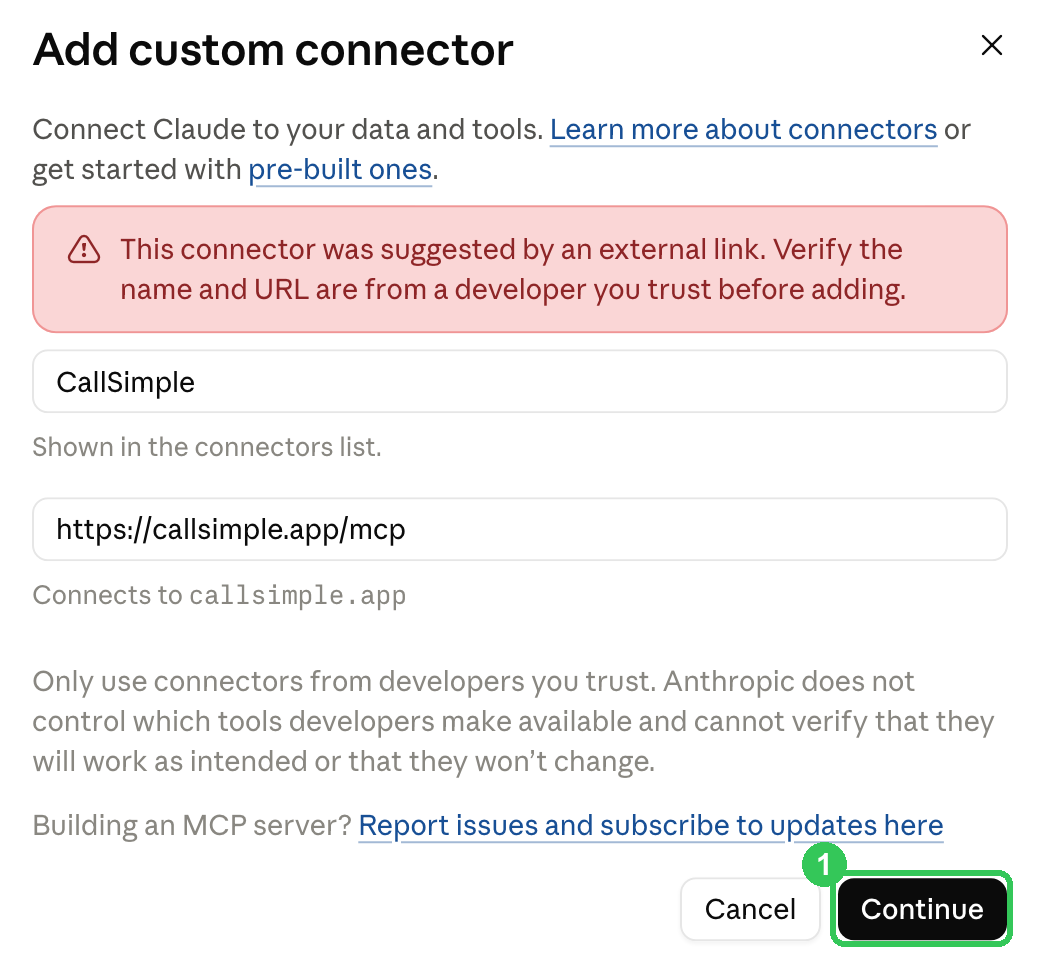
Claude shows a red note that the connector came from a link. That's normal for any app added this way.
The button didn't fill it in? Do it by hand
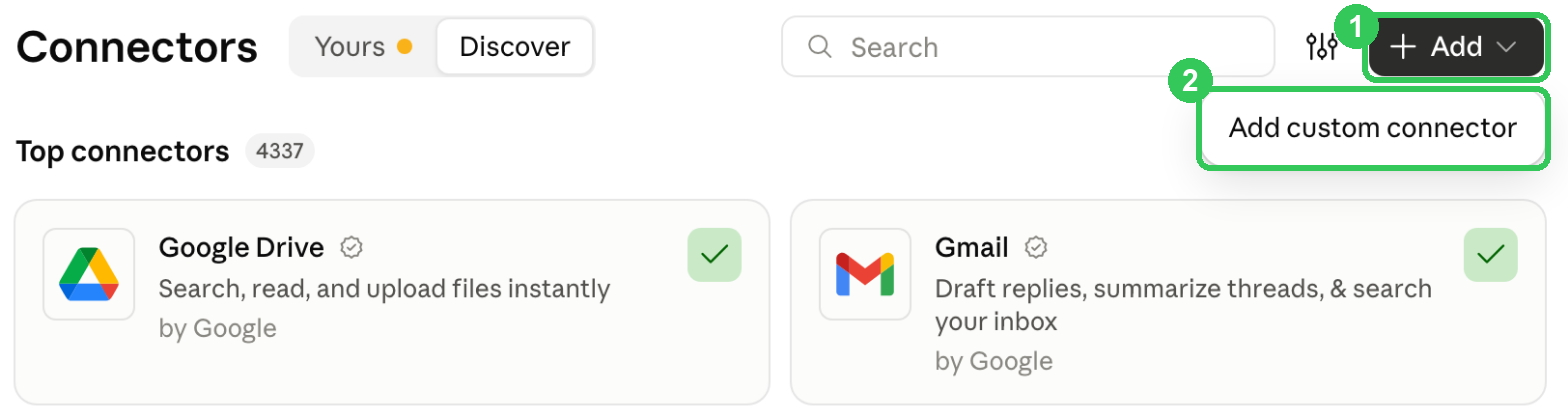
In Claude, open Settings → Connectors. Press + Add (1), then Add custom connector (2):
Paste these two, then press Continue:
1 · NameCallSimple2 · MCP server URLhttps://callsimple.app/mcp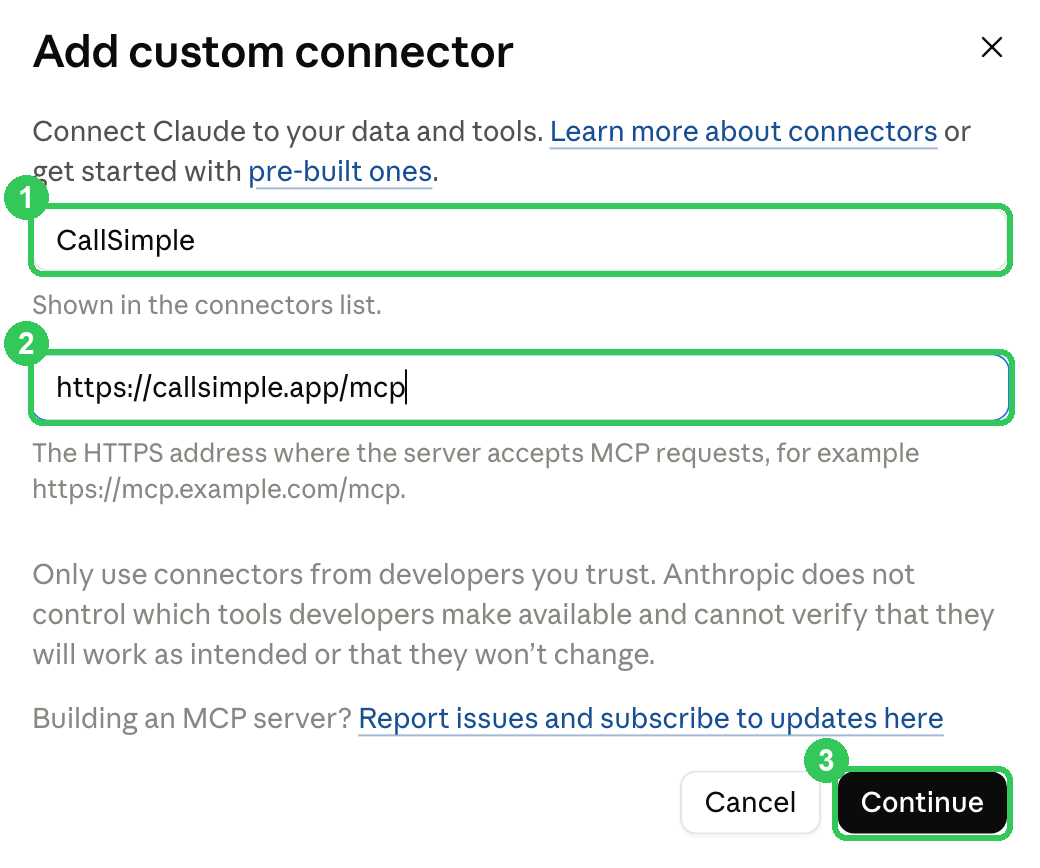
- Step 3
Press Allow
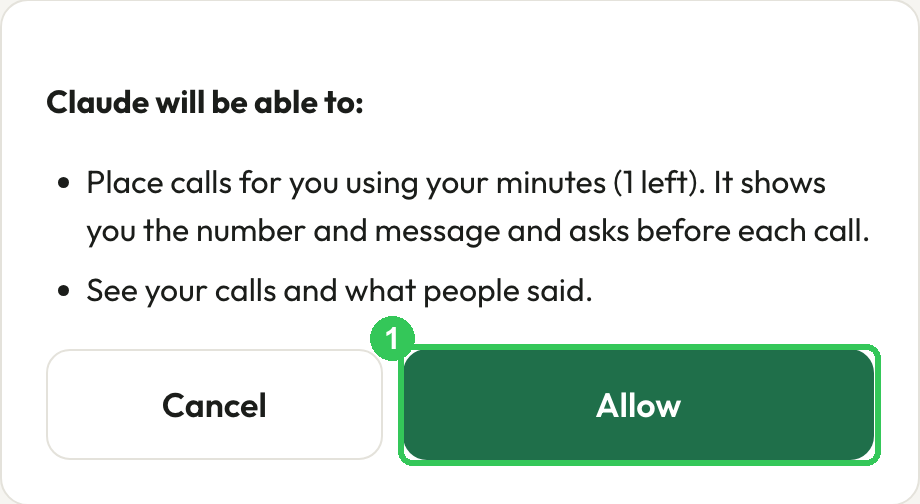
Claude opens a CallSimple page. If it asks, sign in with your phone again. Then press Allow (1). You're taken back to Claude, connected.
Now just ask
Open a new chat in Claude and paste this, with your own number in it:
Use CallSimple to call my number and say: this is a test from Claude. Ask if I can hear it clearly.The first time, Claude asks your permission to use CallSimple. Allow it. Your phone rings from an Indian +91 number. About a minute later, ask "What did they say?"
If something doesn't work
- Claude doesn't use CallSimple: start your message with "Use CallSimple to…", and check CallSimple is switched on in the chat's tools menu.
- Claude won't let you add a connector: some plans limit custom connectors, and on Team or Enterprise an owner may need to allow it.
- "You're out of minutes": your 2 free minutes are used up. Paid minute packs open soon.
- The call didn't go out: calls to other people go out 8am to 10pm India time (business follow-ups 9am to 9pm), and each number can be called twice a day. Calls to your own number work any time.